OzarksFirst
- 3.9
- Rating
- 10.00K
- Installs
- Free
- Price

 Analysis by App-foxy
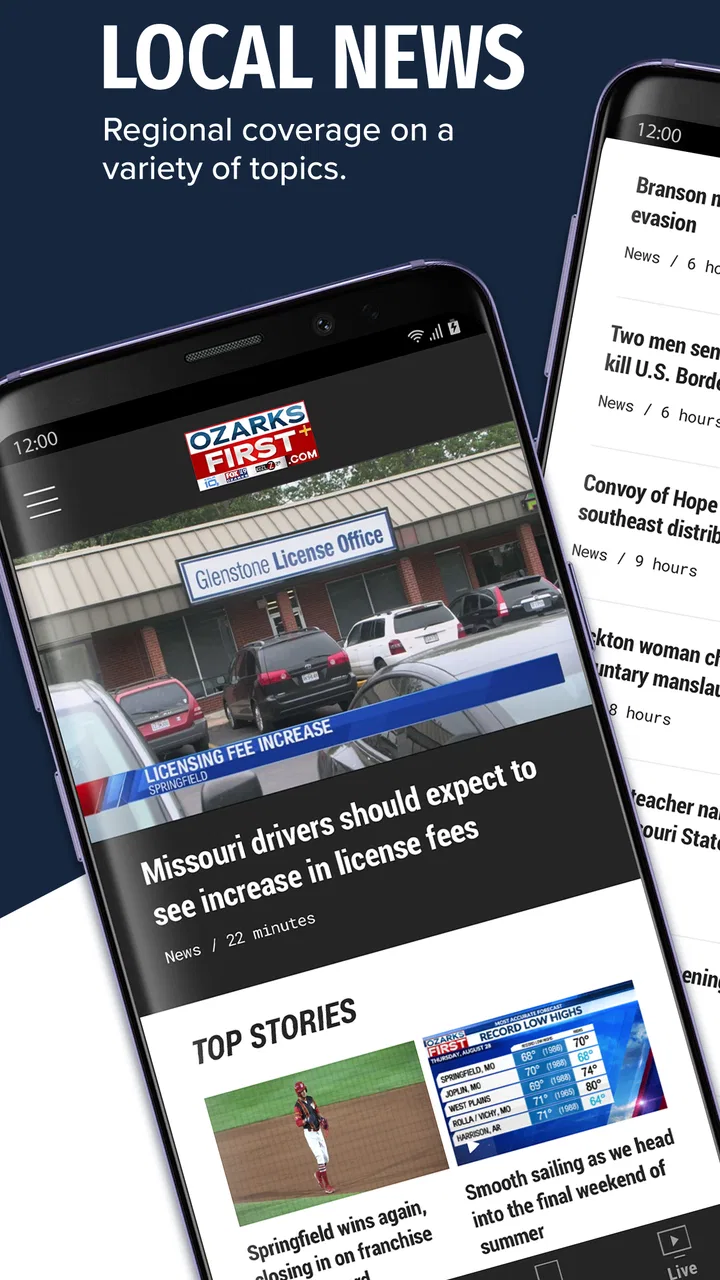
Keeping up with local news is easy in theory and surprisingly awkward in practice. I have often found myself opening a national news app, scrolling past stories from far away, and then realizing I still do not know whether the weather will affect my drive or what is happening in my own area. OzarksFirst is built for that narrower, more useful moment: it brings local news, weather, sports, and video coverage connected with the Ozarks into one mobile news experience.
After spending time with it, I see it as a practical companion rather than a complete replacement for every news source. Its strongest value is focus. Instead of asking you to sort local information from a large national feed, it gives attention to the subjects people nearby are most likely to care about. The app is free, carries an Everyone 10+ content rating, and comes from Nexstar Inc., so it fits comfortably into a family household where different people may use the same phone for quick updates.
My main takeaway is simple: OzarksFirst works best when you want a fast local check-in, not an endless news-reading session. That distinction matters, especially if you expect every story to load instantly, every alert to be perfectly timed, or the app to replace a dedicated weather tool and a broad national news service at once.
You May Also Like

 AccuWeather: Weather Radar
AccuWeather Review: A Quick, Clear Forecast for Everyday Decisions
For everyday plans, the best forecast is the one you can understand quickly. AccuWeather makes rain timing, radar, and local conditions easy to act on, with a few trade-offs.

 Hill Climb Racing
Why Hill Climb Racing Still Turns Crashes Into One More Run
A tiny car, a bumpy hill and one more upgrade: Hill Climb Racing keeps resurfacing because its simple chaos makes every near-miss feel personal.

 AliExpress - Shopping App
AliExpress Makes Global Shopping Feel Personal, but Shoppers Bear the Risk
AliExpress turns a global marketplace into a pocket-sized discovery engine. Its reach is useful, its shopping loop compelling, and its trade-offs easy to miss.

 Lords Mobile: Kingdom Wars
Lords Mobile Is a Kingdom-Building Routine, Not a Quick Match
A case-by-case verdict on the building, battles, device demands, and social commitments that make Lords Mobile rewarding for some players and exhausting for others.

 PDF Scanner app - TapScanner
TapScanner Makes Paperwork Easier to Capture, Check, and Share
TapScanner makes scanning with a phone feel less like a rescue operation and more like a dependable step in getting work done. Its capture tools are useful, though not flawless.

 Block Blast!
 Shows How Much a Puzzle Game Can Leave Out
A quiet grid game shows why puzzle players increasingly value instant clarity, repeatable skill and low-pressure play—and where the genre still needs to catch up.
More From Our News Desk
View All News


What the app is really useful for
I find the app most useful as a deliberate local check-in: it can help me decide which nearby stories deserve attention before I turn to wider coverage or a specialist source. That distinction matters when I have only a minute between errands, because a focused local view is more actionable than another broad feed. The next section looks at what can interrupt that simple routine and how I’d narrow down the cause.
A focused local starting point
The app belongs to the News & Magazines category, but its appeal is more specific than that label suggests. The useful question is not “What is happening everywhere?” but “What should I know about the Ozarks today?” That makes the app particularly suitable for checking local developments before work, scanning headlines during a break, or catching up after being away from your phone.
I like this focused approach because it reduces the effort required to find relevant information. A general news application may offer more topics, but it also creates more noise. OzarksFirst gives local coverage a clearer place in your routine. If you live in the region, work there, commute through it, or have family there, that local emphasis can be more valuable than a larger but less targeted feed.
News, weather, sports, and video in one routine
The combination of local news, weather, sports, and video makes the app useful at different times of day. In the morning, I would use it to get a sense of overnight developments and the conditions ahead. Before leaving work, I would check again for changes that could affect the evening. Sports coverage gives the app another reason to remain installed, especially for users who want local results and updates alongside general headlines.
Video is helpful when a headline alone feels too thin. Watching or listening to a report can provide context that a short text summary cannot. At the same time, video is not always the best option when you are in a weak-signal area, conserving mobile data, or trying to check one detail quickly. I treat it as a second layer: scan first, then open the visual report when the story deserves more attention.
Who will get the most from it
I would recommend this app to residents who want a local news habit without managing several separate services. It also makes sense for people who have moved away from the Ozarks but still want a convenient way to follow local events, weather changes, and sports. Relatives who do not enjoy complicated technology may appreciate the straightforward purpose: open the app and look for nearby information.
It is less suitable for someone who wants a worldwide news dashboard, deep investigative reading across many publications, or highly specialized forecasting tools. The local focus is the reason to choose it, but that focus also limits its usefulness outside the region. If your main interest is financial news, international affairs, or a broad political digest, another app will probably serve you better.
Where setup and everyday use can become frustrating
In everyday use, I would separate content delays from phone or connection problems before changing settings or reinstalling. That approach saves time, but it also makes clear that a local news app depends on a smooth path from the network to the device, especially when moving between text and video. The following section considers the points where setup and routine checks may take more effort than expected.
Start with the basics before blaming the app
When a news app appears empty, slow, or inconsistent, the first reaction is often to assume the application is broken. In practice, the problem may be much simpler. I begin by checking whether the phone has a stable internet connection, whether other apps can load fresh content, and whether the operating system meets the app’s requirement. OzarksFirst supports Android versions from 7.0 onward, so an older device may need attention before anything else.
I also close and reopen the app after switching between Wi-Fi and mobile data. That small step can clear a temporary loading state without changing any account or device settings. If only video struggles while headlines appear normally, I treat that as a connection or bandwidth issue first rather than assuming the entire app has failed.
Give the first launch a fair chance
A local news app may need a moment to retrieve current material when it is opened after a long period of inactivity. I avoid repeatedly tapping the same section during that initial load. Multiple taps can make it harder to tell whether the screen is responding or simply waiting for content. My preferred routine is to open the app, wait briefly, and then move through one section at a time.
It also helps to distinguish between an empty page and an outdated page. An empty page suggests a loading or connectivity problem. An outdated page may simply mean the app has not refreshed yet. Pulling down to refresh, where the interface offers that gesture, is a sensible first recovery step. If the content still looks unchanged, I check another section before deciding that the whole service is unavailable.
Notifications need realistic expectations
News notifications are useful only when the phone allows them to arrive. If you expect breaking local updates but see nothing, check the app’s notification setting in the phone’s system controls. Battery-saving modes can also delay background activity on some devices. I would rather inspect those controls than reinstall immediately, because reinstalling can remove local preferences without fixing a device-level restriction.
There is a trade-off here. Allowing every alert may keep you informed, but it can also make the app feel noisy. I prefer enabling notifications only if I genuinely want timely local updates. For casual readers, opening the app at chosen times may be calmer and more predictable than relying on alerts.
Do not confuse a content gap with a technical fault
Local coverage naturally changes from day to day. A quiet sports period, a slow news cycle, or a story that has not yet developed can make a section feel less active than expected. I look at the date and the range of available sections before concluding that something is missing. A page with fewer fresh items is not automatically malfunctioning.
This is one reason I would not judge the app from a single visit. Its value appears over repeated check-ins, especially when local weather or an unfolding event makes nearby information more important. The app is a companion for ongoing awareness, not a guarantee that every section will be equally busy every time you open it.
Recovering from a stuck workflow
When a story will not open, I take a simple path: return to the main screen, try a different article, and then retry the original item. This helps separate a problem with one piece of content from a broader connection issue. If other stories work, I continue using the app rather than repeatedly forcing the same page.
If the entire interface becomes unresponsive, I close the app completely and launch it again. On an older phone, I also make sure other demanding apps are not consuming the device’s available resources. Restarting the phone is a reasonable next step when several apps are behaving strangely, but it should not be the first response to one slow video or one delayed article.
Reinstalling is best saved for persistent problems after the basic checks. Before doing that, I make a note of any preferences I may need to set again. A clean installation can help with damaged local app files, but it is not a cure for poor reception, an overloaded service, or a system-wide notification restriction.
When the app is not the cause
Some frustrations come from the environment around the app. A weak signal can make video appear broken even when text loads. A crowded public Wi-Fi network can cause intermittent delays. A phone with very little free storage may also behave unpredictably, particularly when several applications are open. Testing the same connection with another news service is a useful comparison.
Timing can matter too. If a major local event is drawing unusually high interest, content may take longer to appear or refresh. I avoid making a final judgment during one busy moment. Waiting, switching connections, and checking again later gives a more accurate picture than immediately deciding that the app is unreliable.
There is also a human factor: the app cannot know which story matters most to you unless you actively choose what to read. I use the headline list as a filter, then open the reports that affect my route, household, work, or interests. That workflow is faster than expecting the first screen to answer every question automatically.
How it compares with the usual alternatives
Compared with a national news app, OzarksFirst offers less breadth but more local relevance. A national service is better when you want international headlines, business coverage, or a wide range of opinions. For a quick answer about nearby developments, however, a local-first app can save time because you are not sorting through unrelated stories.
Compared with a dedicated weather application, it is more convenient for a combined local check but probably less specialized for detailed forecasting tools. I would use a weather-focused app when I need advanced maps, long-range planning, or highly specific conditions. I would use OzarksFirst when I want weather alongside news and sports without switching between several apps.
Compared with a social media feed, the app gives me a more deliberate way to check local information. Social platforms may surface eyewitness posts quickly, but they can also mix opinion, repetition, and incomplete context. A local news app is a better first stop when I want an organized report rather than a stream of reactions. I still would not treat any single app as the only source during a serious emergency; checking official local instructions remains important.
Useful habits that make the app better
My first practical tip is to separate scanning from watching. Read the headlines first, mark the stories that affect you, and open video only for those. This saves time and reduces unnecessary data use. It also makes the app feel quicker because you are not waiting for every visual element before deciding what matters.
My second tip is to build two check-in points instead of leaving the app open all day. A morning visit helps with planning, while an afternoon or evening visit catches developments that were not available earlier. This is especially useful for local weather and changing event coverage, where information can age quickly.
My third tip is to use comparison as a troubleshooting tool. If headlines load but videos do not, test another video service. If notifications fail but manual refresh works, inspect phone notification and battery settings. If every app is slow, focus on the network or device. These comparisons prevent unnecessary reinstallations and make it easier to identify the actual source of the problem.
A fourth trade-off is worth remembering: convenience comes from concentration, but concentration can feel narrow. I enjoy having local subjects gathered together, yet I would not rely on this app alone for national or international awareness. Keeping one broader news source beside it creates a better balance than trying to make one local app cover everything.
What the current release tells me
The current version is 504.0.0, and the app has been available since May 29, 2013. That long presence suggests a product intended to remain part of a regular local-news routine rather than a short-lived experiment. I also noticed that its audience is established but not enormous: it has over ten thousand installs, an average rating of 4.0 from around four hundred ratings, and more than one hundred written reviews.
I read those figures as a reason to keep expectations grounded. The app has enough user activity to be a credible option, but it is not positioned like a massive all-purpose platform. The rating indicates a generally positive experience with room for individual frustrations, which matches my own view: the concept is useful, while connection, notification, and loading issues can shape how dependable it feels on a particular phone.
Cost, age suitability, and device choice
There is no purchase price to weigh before trying it, which makes experimentation easy. I would install it for a week and see whether its local coverage fits my routine rather than committing to it as my only news source. Free access is particularly helpful for households that want local information without adding another subscription to monthly expenses.
The Everyone 10+ rating means parents should still use their own judgment when younger children browse news videos or reports. News can include serious events even when an app is broadly suitable for general audiences. On the technical side, the Android requirement is modest, but very old hardware may still deliver a less comfortable experience if it struggles with modern video or has limited storage.
My practical verdict
OzarksFirst is worth trying if your priority is local awareness in the Ozarks. I like its clear purpose, its mix of news, weather, sports, and video, and the way it can become a quick part of a morning or evening routine. It is especially useful for people who want to replace scattered local checks with one focused starting point.
I would skip it if you mainly want global reporting, deep specialist coverage, or advanced weather analysis. I would also avoid judging it too quickly after one failed load. Check the connection, confirm the phone’s system requirements, review notification and battery settings, and compare text with video before deciding that the app itself is at fault.
For me, the best way to use it is alongside—not instead of—other trusted sources. Let it handle the local layer, use a broader news app for wider context, and turn to official channels when a situation requires direct instructions. As a free local news app from Nexstar Inc., OzarksFirst does not need to do everything to be useful. It only needs to make nearby information easier to find, and in that role, it is a sensible, practical choice.
FAQs for OzarksFirst
01What is OzarksFirst and what features does it offer?
OzarksFirst is a comprehensive news app designed to keep users updated with the latest local and national news. It offers features such as real-time news alerts, video streaming of news segments, weather updates, and detailed articles. The app is user-friendly, allowing easy navigation to find the news that matters most to you.
02Is OzarksFirst available on both Android and iOS platforms?
Yes, the OzarksFirst app is available for download on both Android and iOS devices. Users can find it in the Google Play Store for Android and the App Store for iOS. The app is optimized for mobile devices, ensuring a seamless experience across different platforms.
03Does OzarksFirst require a subscription or in-app purchases?
OzarksFirst is free to download and use, with no mandatory subscriptions or in-app purchases required to access its content. However, the app may include ads. Users can enjoy full access to news articles, videos, and weather updates at no cost, making it a valuable resource for staying informed.
04How frequently is the content updated on OzarksFirst?
The content on OzarksFirst is updated regularly throughout the day to provide the most current news and information. Users receive real-time notifications for breaking news, ensuring they are always informed about important events as they happen. The app's commitment to timely updates makes it a reliable source for news.
05What should I do if I encounter issues while using OzarksFirst?
If you experience any issues while using the OzarksFirst app, it is recommended to check for updates in the app store, as developers frequently release updates to improve performance and fix bugs. For further assistance, users can contact customer support through the app or the official website to resolve any technical difficulties.
Pros
- User-friendly interface enhances navigation.
- Comprehensive local news coverage.
- Real-time weather updates.
- Push notifications for breaking news.
- High-quality video content available.
Cons
- Limited national news coverage.
- Occasional app crashes reported.
- Ads can be intrusive at times.
- Requires stable internet connection.
- No offline reading option available.

OzarksFirst
Gallery